Analyzing Backtest Results
Properly backtesting a strategy is a key component to try and ensure its future profitability (though backtesting cannot guarantee it!), and Naxbot provides you with a powerful backtesting engine out of the box.
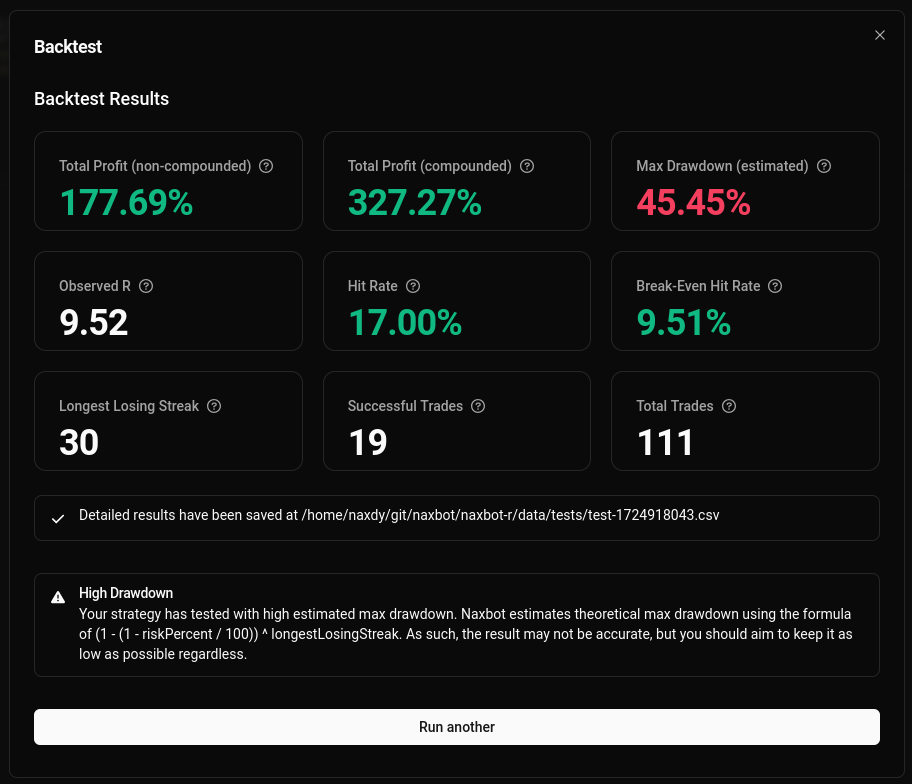
While the summary screen is great for getting a quick glance at a strategy’s performance, there are situations in which you might need more detail. Fortunately, Naxbot stores the results of every backtest as a csv file on the machine it runs on, so you can inspect them at any time using a spreadsheet application such as LibreOffice Calc or Microsoft Excel.
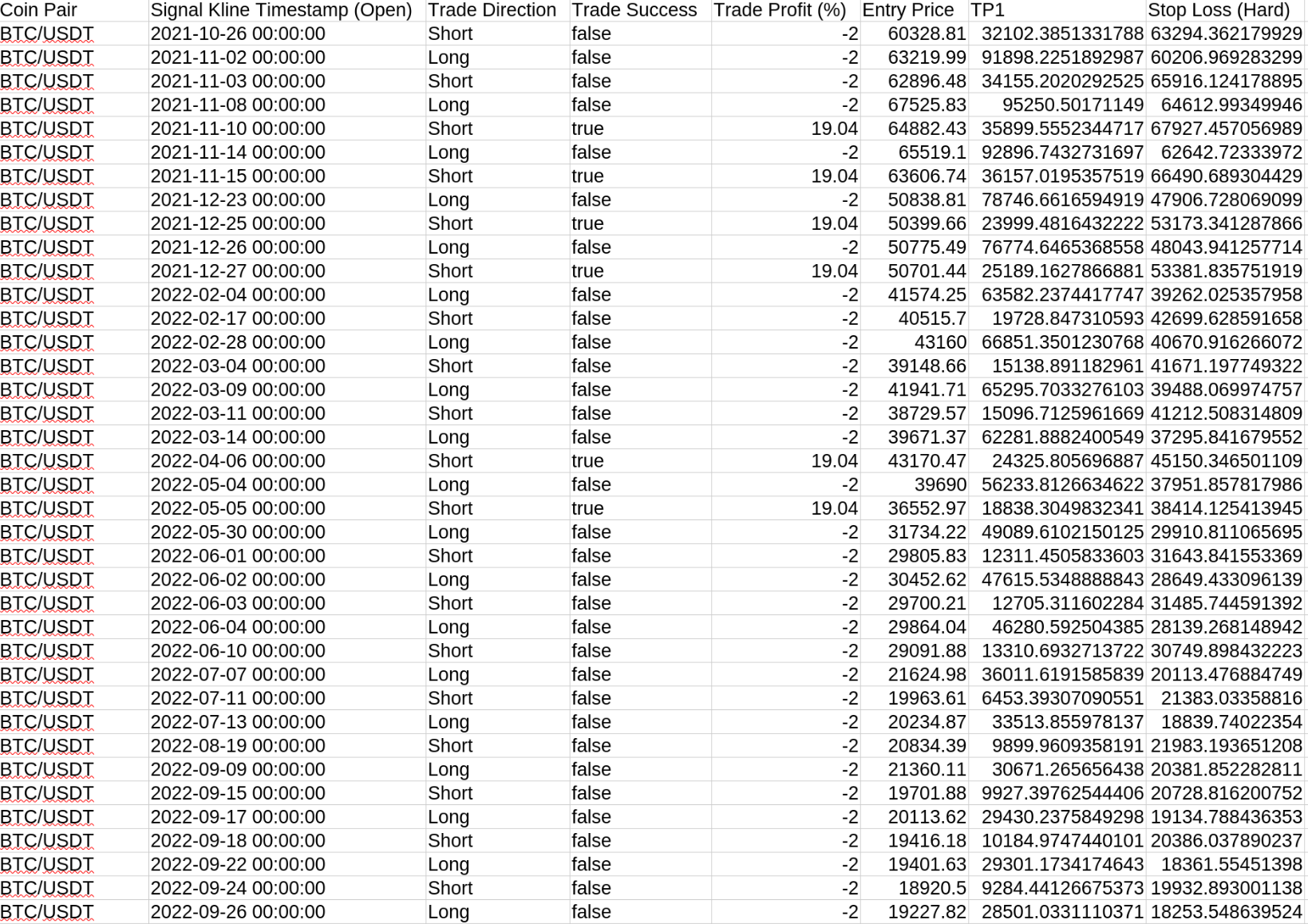
Using the data within the spreadsheet, you can then make more advanced calculations that might interest you yourself, such as:
- average losing streak length
- max possible leverage per trade
- simulate trading with paper capital
Naxbot backtests on the same timeframe you run the strategy on. As such, if a kline hits both a TP target and a stop loss at the same time, Naxbot does not go into a lower timeframe to see what came first, but rather conservatively assumes the worse outcome took place, i.e. that the stop loss was hit before the TP target.
The timestamps within the spreadsheet are UTC.